Subscriptions for anything your customers run out of.
NextBatch adds subscribe and save to your product pages, gives customers a portal inside their Shopify account, and bills renewals on schedule. On the free plan you pay 1% of the subscription lines only. One-time items in the same order don't count.
Coming to the Shopify App Store. Free plan: $0 a month plus 1% of proven sales. Studio plan: $29 a month flat.
What it does
Subscribe and save, a portal, and renewals that run on their own.
01Plans in a few steps
Name the plan, pick frequencies (every few weeks or months), set the discount and choose products. NextBatch creates the selling plan in Shopify. You add one block to your product page.
02A portal in customer accounts
Customers skip the next delivery, pause, resume, change how often it arrives, or cancel, from inside their Shopify account with the login they already have. Stores on classic accounts get a matching page on their own domain.
03Renewals and failed payments
NextBatch checks every hour and bills each subscription on its next date. When a payment fails it retries on the schedule you set, then pauses, cancels or keeps the subscription, your choice. Every attempt is on record.
04A cancellation flow that asks why
Customers pick a reason and can take a save offer first: skip a delivery, pause, or a discount. Discount offers are recorded for you to apply; NextBatch doesn't change subscription prices on its own yet.
What you see
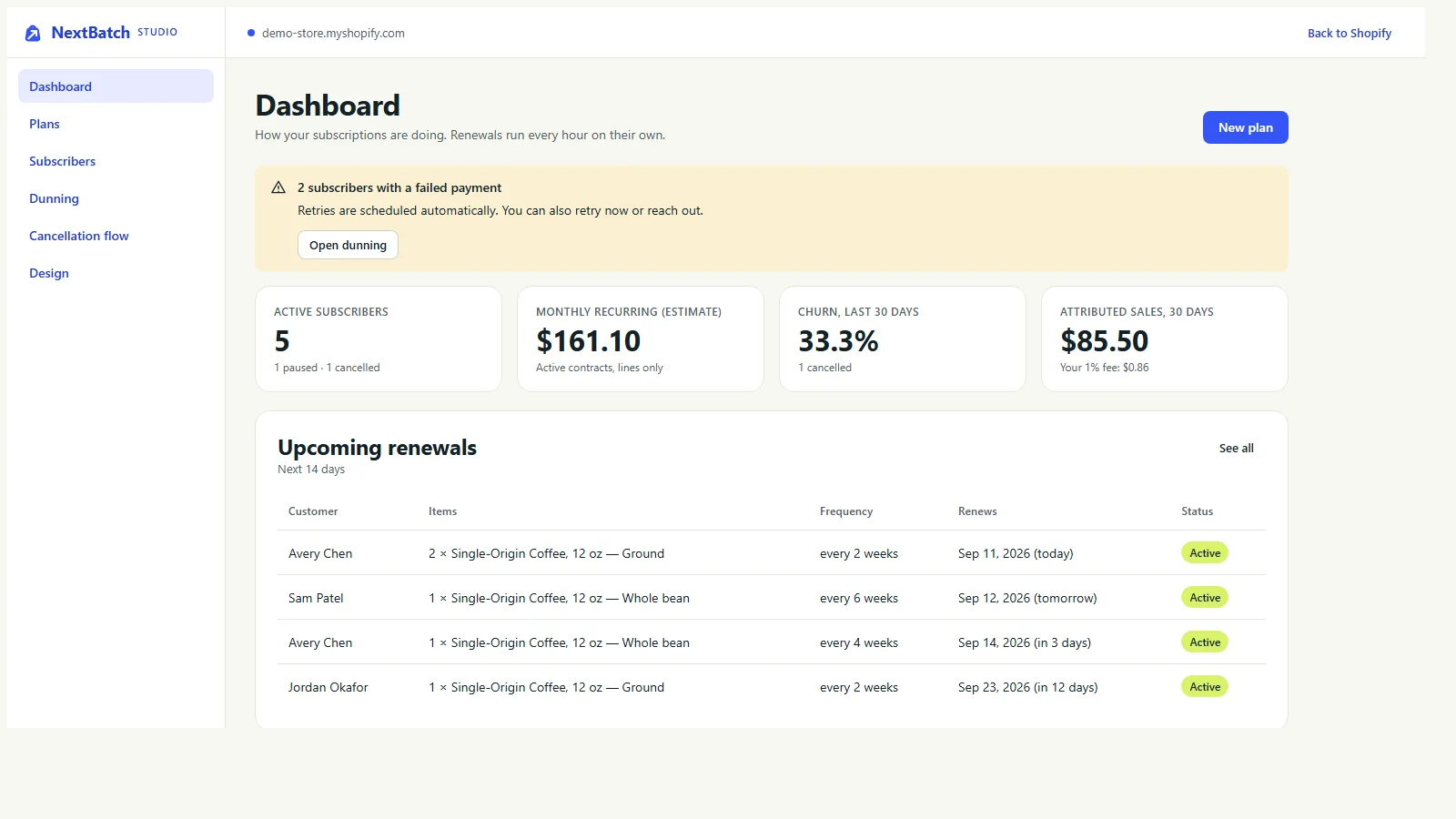
Settings in Shopify admin. Your subscribers in Studio.
Home, Settings and Billing are normal Shopify admin pages. Plans, subscribers, failed payments, the cancellation flow and the portal wording live in Studio.
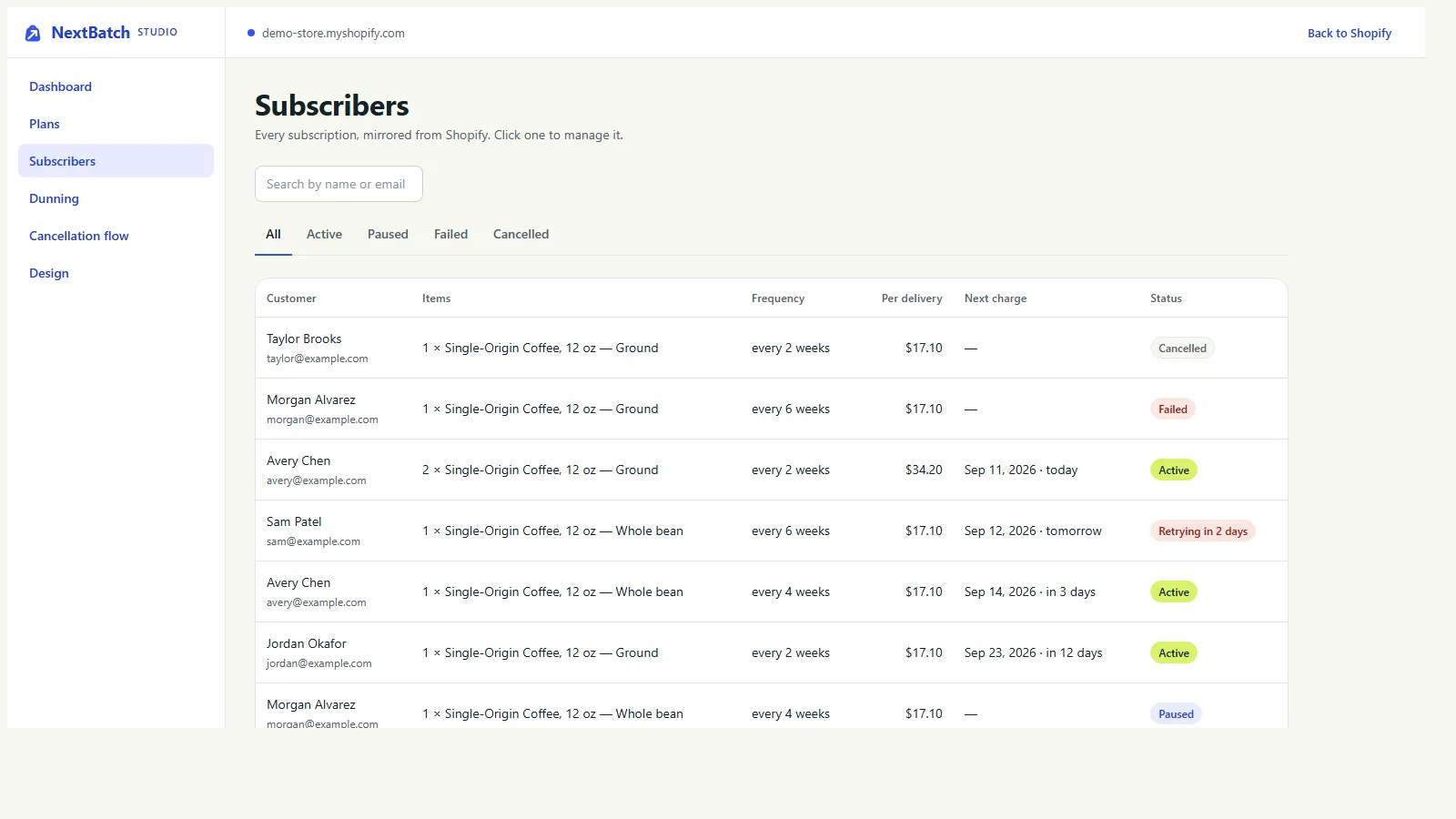
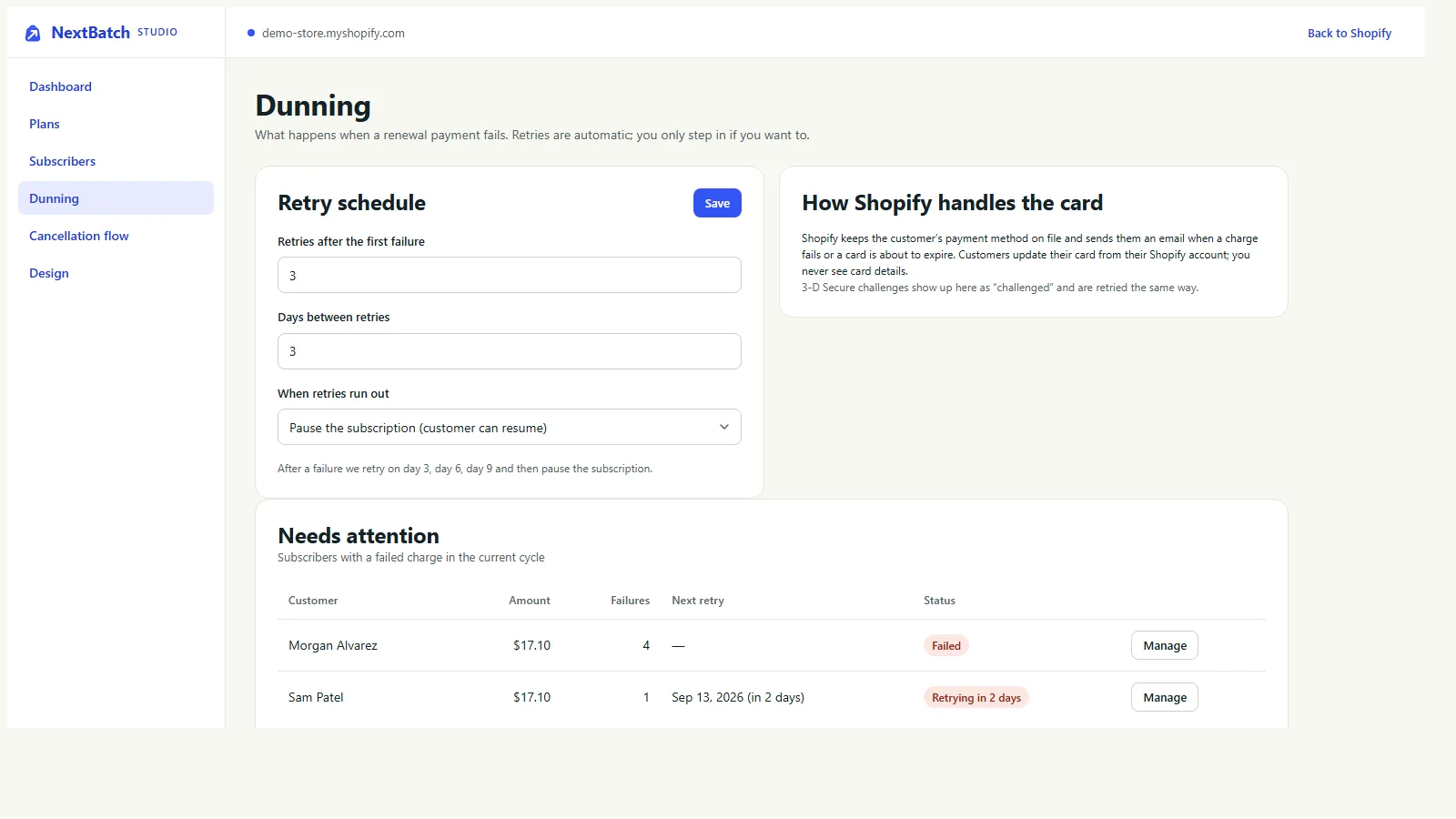
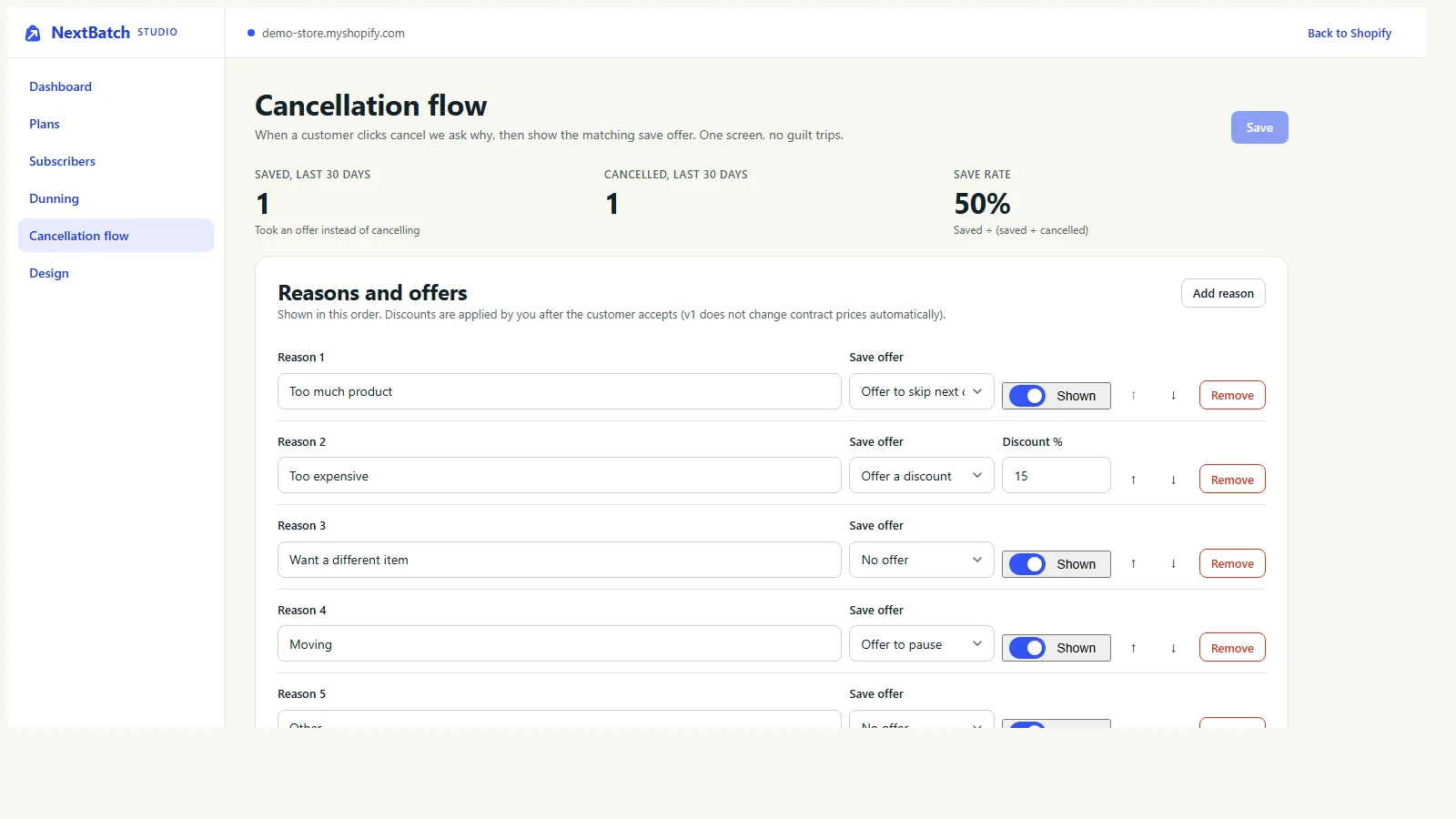
Screens from a demo store with sample data. Select a screen to see it larger.
What shoppers see
What subscribers see.
A subscription picker block on the product page and a portal in customer accounts. Cart and checkout show the subscription terms through Shopify itself.
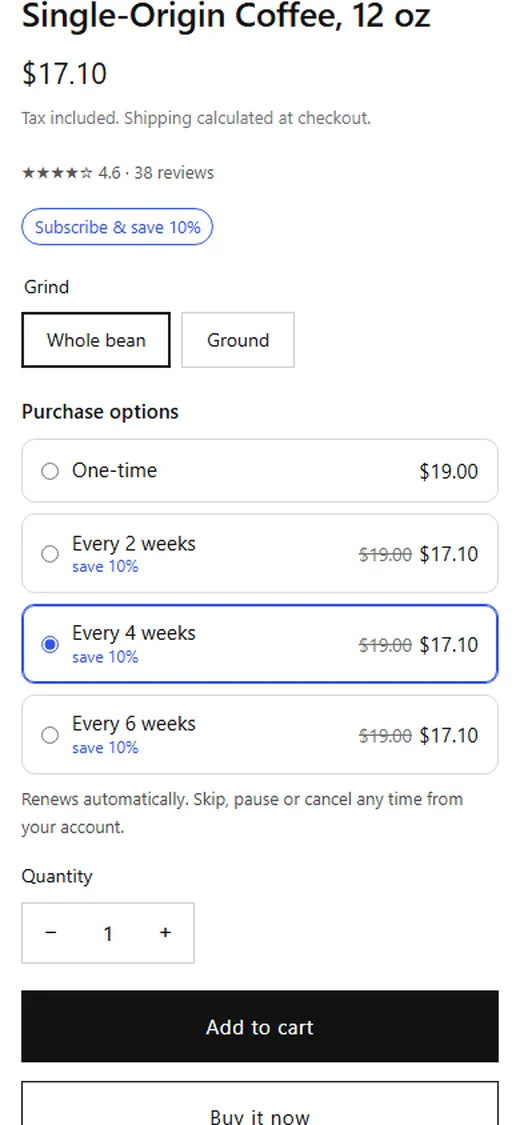
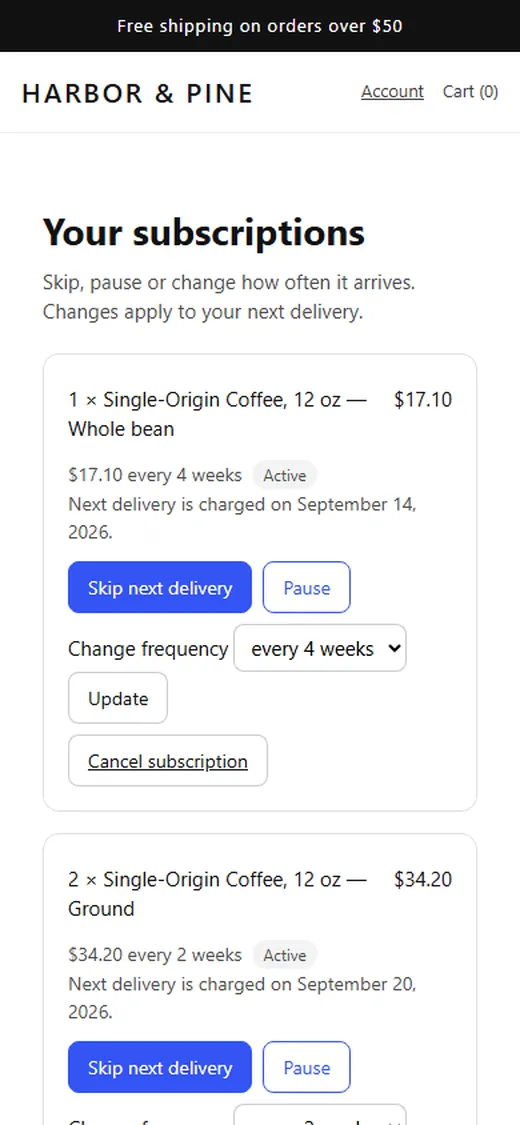
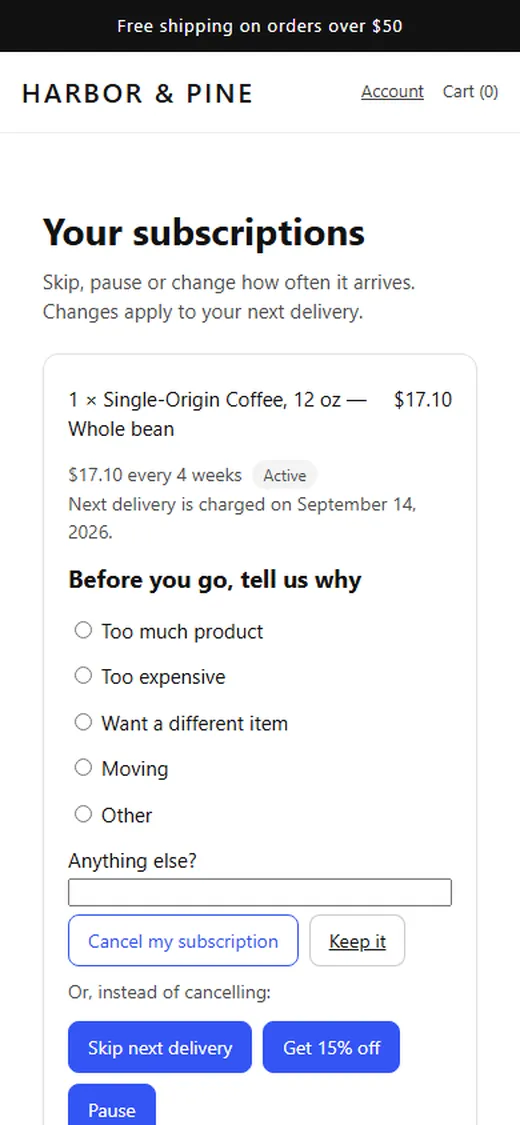
Shown on a plain demo theme. On your store the blocks pick up your theme's fonts, and you set the colours.
Billing
How NextBatch's 1% is counted
This applies on the free plan. On the Studio plan there is no percentage at all.
An order counts when a line uses a selling plan NextBatch created. That is the first checkout and every renewal.
Only those subscription lines count, after discounts, before tax and shipping, in your store currency. Each order counts once. A refund reverses the fee in proportion.
Counted Examples that count
- First order: coffee every 4 weeks at 10% off.$17.10 counted, fee $0.17
- Each renewal of that subscription.$17.10 counted, fee $0.17 each time
- A mixed order: a $17.10 subscription line and a $28 mug bought once.$17.10 counted, fee $0.17
Not counted Examples that don't
- The one-time mug in that mixed order.$0.00
- Subscriptions on plans another app created.$0.00
- Tax and shipping on any order.$0.00
Setup
Set up in 5 steps
Needs an Online Store 2.0 theme that supports selling plans, such as Dawn. The portal inside customer accounts needs Shopify's new customer accounts; classic accounts use the page on your store's domain.
- Install NextBatch and choose a plan. Shopify shows the plan page when you install. Start on the free plan.
- Create a plan in Studio. Name, frequencies, discount and products. NextBatch creates it in Shopify.
- Add the subscription picker. In the theme editor, open a product page, Add block, Apps, NextBatch subscription picker. Place it under the price.
- Give customers the portal. New customer accounts: add the NextBatch page to the account menu. Classic accounts: switch on the Manage subscriptions link under App embeds.
- Set retries and save offers. In Studio, choose how failed payments are retried and what the cancellation flow offers.
Does the 1% apply to renewals?
On the free plan, yes. Each renewal is an order with a subscription line, so its subscription lines count. On the Studio plan nothing is counted for billing.
Does NextBatch store card details?
No. Shopify keeps customers' payment methods. NextBatch asks Shopify to charge the card on file and records whether it worked.
What happens when a card fails?
NextBatch retries on the schedule you set in Studio. If the retries run out, it pauses, cancels or keeps the subscription, depending on your setting. The dashboard shows who needs attention.
Is there a limit on subscribers?
No. There is no cap on subscribers on either plan.
Where do customers manage their subscriptions?
Inside their Shopify customer account, with the login they already use for your store. Stores on classic accounts get a matching page on their own domain.
What if I uninstall?
Renewals stop, because NextBatch is what bills them. Tell your subscribers first. See uninstalling an app.
Want NextBatch when it launches?
NextBatch is coming to the Shopify App Store. Send me a note and I will email you when it is live.